LaTex: Texlive + Texstudio + Zotero + Onedrive
Install and configure Zotero for reference management, TeX Live and TeXstudio for LaTeX writing, and OneDrive for online synchronization of Zotero.
LaTex: Texlive + Texstudio + Zotero + Onedrive
Zotero & Onedrive
Zotero setting
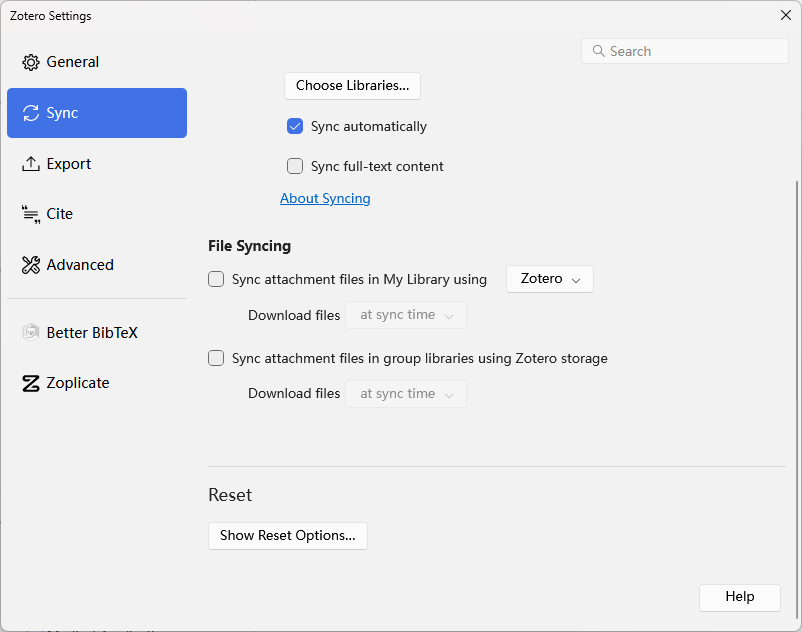
Disable File Syncing
去掉File Syncing下的两个对勾。
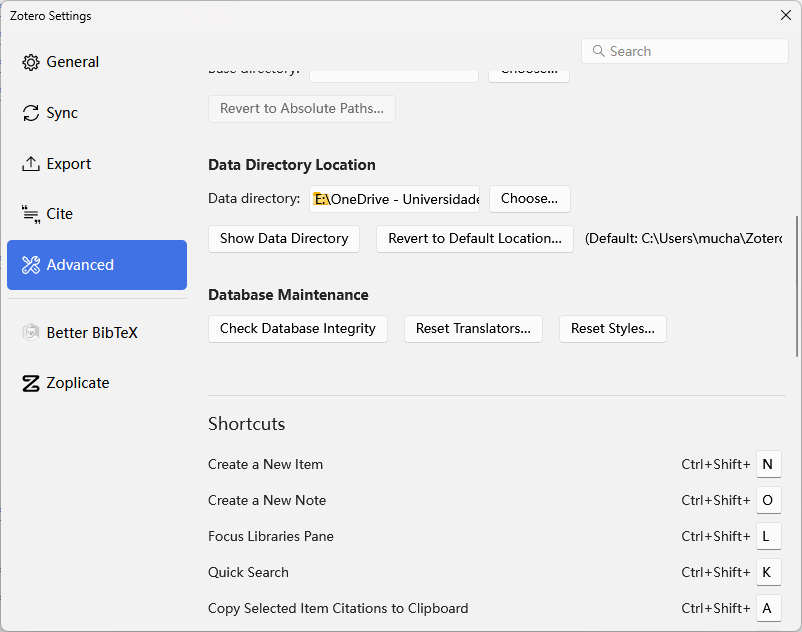
Base Directory
将存储文件夹改为Onedrive内部文件夹。
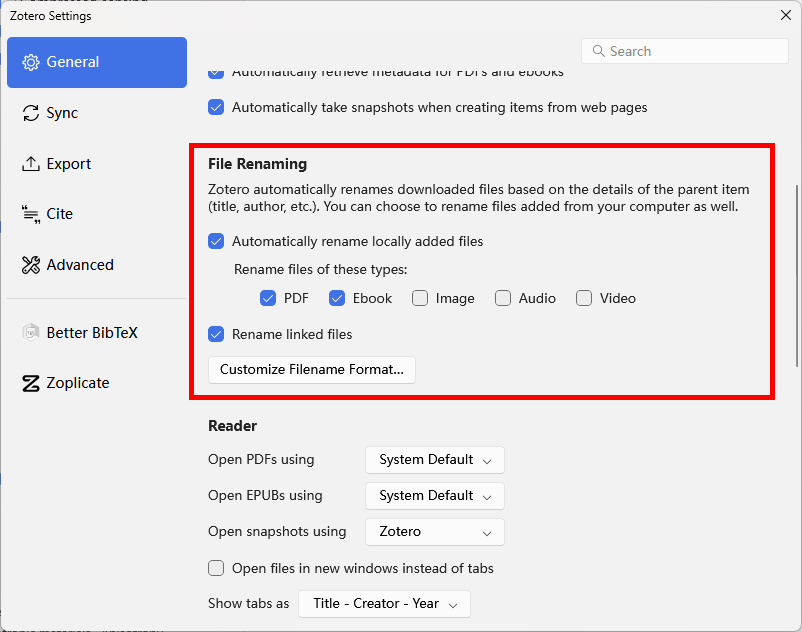
File Renaming Rules
Chrome Plugin
Texstudio & Zotero
Install Texlive and Texstudio
Install Betterbib in Zotero
Downlaod .xpi files for installation
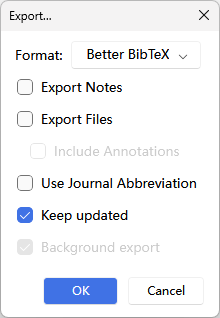
Export .bib and keep update
Export references as .bib file, enable the keep update button, save this file at the texstudio folder.
Export collection
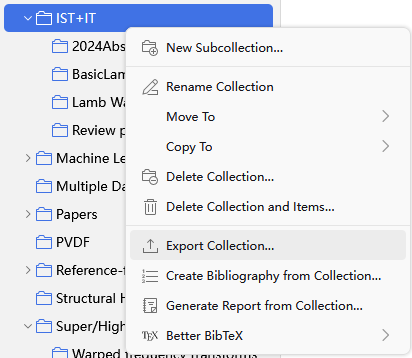
Export options: enable “Keep updated”
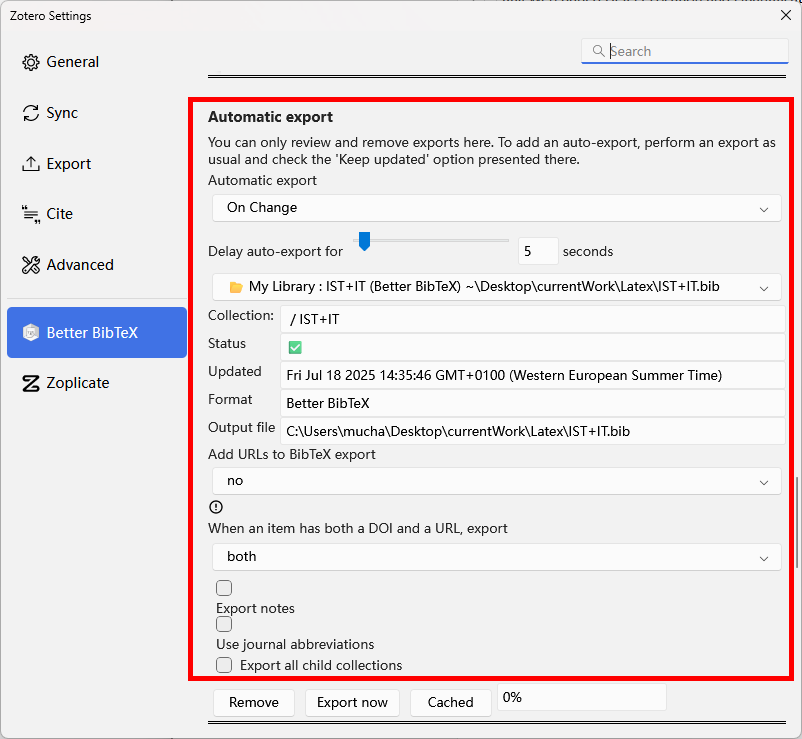
Manage auto-update
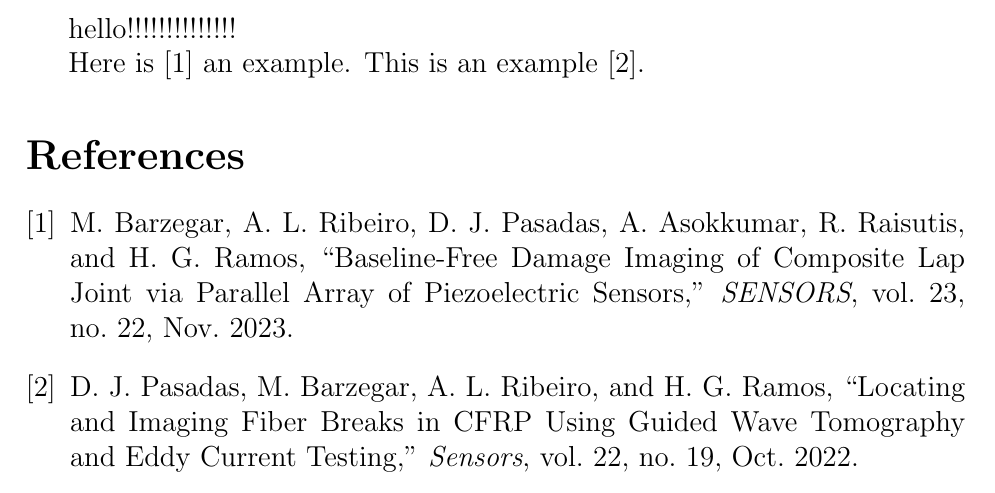
Cite the reference in texstudio
An example
1
2
3
4
5
6
7
8
9
10
11
\documentclass[12pt]{article}
\usepackage[english]{babel}
\begin{document}
	hello!!!!!!!!!!!!!!

Here is \cite{barzegarBaselineFreeDamageImaging2023} an example. This is an example \cite{pasadasLocatingImagingFiber2022}.

\bibliographystyle{IEEEtran}
\bibliography{IST+IT.bib}

\end{document}
References
This post is licensed under CC BY 4.0 by the author.